
What Happens After You Apply for a Dubai Visa Online?
Many travellers feel confident while filling out a Dubai visa form, but after payment they start wondering: What happens next?
This is one of the most common concerns for people applying online. They want to know if their documents were received, whether someone will check the application, how long the process may take, and how they will receive their visa once it is approved.
This guide explains what normally happens after you apply for a Dubai visa online, what updates you should expect, what may cause delays, and how to prepare your documents properly before travelling.
Quick Answer: After you apply for a Dubai visa online, your application details and documents are checked, submitted for processing, reviewed by immigration, and updated once a decision is received. If approved, your visa is sent digitally by email or support channel.
Why Travellers Worry After Applying Online
Applying for a Dubai visa online is convenient, but it is normal to feel unsure after submitting your passport details and payment. Travellers often ask:
- Did my application go through?
- Were my documents uploaded correctly?
- Will someone contact me if anything is missing?
- How long will the visa take?
- What happens if immigration asks for more documents?
- How will I receive my approved visa?
These questions are important because a visa is linked to your travel plan. A clear process helps reduce stress and gives travellers more confidence before their flight.
Step 1: Your Application Details Are Received
Once you complete your Dubai visa application online, the submitted details are received for review. These details may include your name, nationality, passport number, date of birth, travel dates, contact information, and selected visa type.
This stage is important because even a small spelling mistake can create confusion later. Your full name, passport number, and date of birth should match your passport exactly.
Before submitting any Dubai visa application, always check:
- Your full name is written exactly as shown on your passport
- Your passport number is correct
- Your nationality is selected correctly
- Your date of birth is correct
- Your email address and WhatsApp number are active
- Your travel dates are realistic
Step 2: Your Documents Are Checked
After your application is received, your uploaded documents are checked. This step helps identify common mistakes before the application moves forward.
Common document issues include:
- Blurry passport copy
- Cropped passport page
- Expired or near-expiry passport
- Old passport-size photo
- Photo with dark background
- Missing travel information
- Incorrect file upload
- Mismatch between form details and passport details
A proper document check does not guarantee approval, but it can reduce avoidable delays caused by unclear or incomplete files.
Helpful guide: Common Mistakes When Applying for a Dubai Visa
Step 3: You May Be Asked to Fix or Reupload Documents
If something is unclear or missing, the support team may contact you and ask for a correction. This can happen before submission or during processing if additional details are needed.
For example, you may be asked to upload:
- A clearer passport copy
- A recent passport-size photo
- Hotel booking or accommodation details
- Return ticket or travel itinerary
- Additional identity or travel documents
- Updated contact details
If you receive a request for extra documents, reply as soon as possible. Delays often happen when applicants do not respond quickly or send unclear files again.
Step 4: Your Application Is Submitted for Processing
Once your details and documents are ready, the application moves to the processing stage. At this point, the application is reviewed according to the relevant UAE visa process.
This is where many travellers need to understand one important point: the final visa decision is not made by a private visa website or support team.
The final decision is subject to immigration review. This may include document checks, security checks, travel history, previous visa records, nationality-based requirements, and other internal review factors.
Important: No private visa service can honestly guarantee UAE visa approval. A support platform can help with document checking and application guidance, but immigration makes the final decision.
Step 5: Your Application Status Is Updated
After submission, your application may go through different stages. The exact wording may vary, but travellers usually see or receive updates such as:
- Application received
- Documents under review
- Submitted for processing
- Additional documents required
- Under immigration review
- Approved
- Rejected
- Delayed or pending
Not every application receives many updates. Sometimes the visa is simply processed and the final result is shared once available.
Step 6: If Approved, Your Dubai Visa Is Sent Digitally
Once your Dubai visa is approved, it is usually sent digitally. You should download the visa, check the details carefully, and keep both a printed and digital copy for travel.
After receiving your visa, check:
- Your full name
- Passport number
- Nationality
- Visa validity
- Entry type
- Duration of stay
If you notice any issue, contact support immediately before travelling.
Step 7: Prepare Your Travel Documents Before Flying
Getting your visa approved is not the final step. Before flying to Dubai, make sure your travel documents are ready and easy to access.
You should normally carry:
- Printed copy of your approved Dubai visa
- Original passport
- Return or onward ticket
- Hotel booking or host details
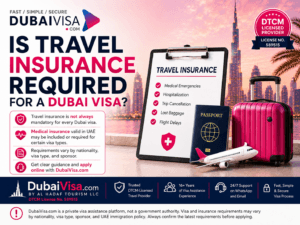
- Travel insurance, if applicable
- Emergency contact details
- Enough funds for your stay
Airlines and border officers may ask for supporting travel documents, so keeping everything ready can help you avoid unnecessary stress.
Why Some Dubai Visa Applications Get Delayed
Visa delays can happen for many reasons. Some are avoidable, while others depend on immigration review and cannot be controlled by the applicant or the visa service.
Common reasons for delay include:
- Unclear passport copy
- Incorrect personal details
- Incomplete documents
- Late response to document requests
- High application volume
- Previous UAE visa issues
- Additional immigration review
- Public holidays or non-working days
The best way to reduce avoidable delays is to apply early and submit clear documents from the beginning.
What If Immigration Requests More Documents?
Sometimes immigration or the processing team may request additional documents. This does not always mean the visa will be rejected. It simply means more information is needed before a final decision is made.
If this happens, stay calm and provide the requested documents quickly. Make sure every file is clear, valid, and matches your application details.
What If the Dubai Visa Is Rejected?
Visa rejection can happen, even when documents are submitted correctly. The reason may not always be shared in detail.
If your visa is rejected, you should not immediately submit the same application again without checking possible issues. First review:
- Passport validity
- Previous UAE visa history
- Any overstay record
- Document quality
- Travel details
- Applicant profile
- Correct visa type
In some cases, a fresh application may be possible after reviewing the issue. In other cases, you may need to wait or provide stronger supporting documents.
How DubaiVisa.com Supports Travellers During the Process
DubaiVisa.com helps travellers by making the online application process more guided. Instead of submitting documents without knowing what is happening, applicants can get support during key steps.
The support may include:
- Visa type guidance
- Document checking before submission
- Correction requests if files are unclear
- Application update support
- Digital visa delivery after approval
- WhatsApp support for common questions
This is helpful for travellers who are applying for the first time, applying for family members, or unsure about the right visa type.
Start here: Apply Dubai Visa Online
Before You Apply: A Simple Traveller Checklist
Before starting your Dubai visa application, use this quick checklist:
- My passport is valid for the required period
- My passport copy is clear
- My visa photo is recent and clear
- My travel dates are planned
- I know which visa type I need
- My email and WhatsApp number are active
- I understand approval is subject to immigration
- I am applying early enough before my flight
If you are unsure about the price, read: How Much Is Dubai Visa?
Final Thoughts
After applying for a Dubai visa online, the process usually moves through document checking, submission, immigration review, status updates, and final visa delivery if approved.
The most important thing is to apply with clear documents, correct details, and realistic expectations. A visa support platform can guide you and reduce common mistakes, but final approval remains subject to UAE immigration decision.
If you want a guided online application process, you can apply through DubaiVisa.com.
Need help? WhatsApp: +971 50 376 7220
FAQs
What happens after I apply for a Dubai visa online?
Your application details and documents are checked, submitted for processing, reviewed by immigration, and updated once a decision is available.
Will someone check my documents before submission?
DubaiVisa.com helps check common document issues such as unclear passport copies, incorrect details, and missing information before submission.
Can DubaiVisa.com guarantee my visa approval?
No. Final approval is subject to UAE immigration review. No private visa service can honestly guarantee approval.
How will I receive my Dubai visa after approval?
Once approved, your visa is usually sent digitally by email or support channel. Keep both printed and digital copies for travel.
What can delay a Dubai visa application?
Common delays include unclear documents, missing information, late response to requests, previous visa issues, high application volume, or additional immigration review.
What should I do if more documents are requested?
Send the requested documents as soon as possible. Make sure the files are clear, valid, and match your application details.